![Forney_FV_logo_signature_600.jpg]](https://knowledge.forneyonline.com/hs-fs/hubfs/Forney_FV_logo_signature_600.jpg?height=40&name=Forney_FV_logo_signature_600.jpg)
When Should Maintenance Be Performed?
Routine maintenance should be performed:
-
When label print quality begins to fade or streak
-
When replacing label rolls
-
When replacing the ribbon
-
After printing large volumes of labels
-
If labels begin misfeeding or skipping
For labs printing regularly, cleaning is recommended every ribbon replacement or every 2 - 3 label rolls.
Materials Needed
To properly clean the printer, you will need:
-
Isopropyl alcohol (90% or higher)
-
Lint-free cloth or cleaning swabs
-
Compressed air (optional)
Do not use paper towels or abrasive materials, as these may damage printer components.
Step 1 - Power Off the Printer
Before performing any maintenance:
-
Turn OFF the Zebra ZT231 printer.
-
Disconnect the power cable for safety.
Step 2 - Open the Printer
-
Lift the top cover of the printer to access the media compartment.
-
Rotate the printhead release lever to raise the printhead assembly.
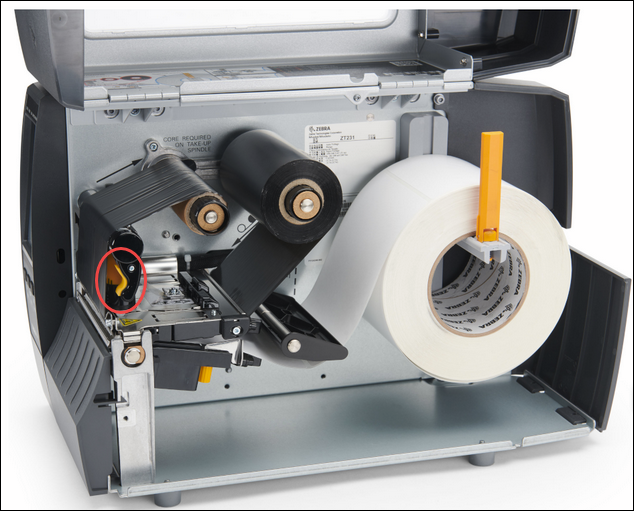
This opens the media path and provides access to the printhead and platen roller.
The ribbon and labels can remain installed unless they interfere with cleaning.
Step 3 - Clean the Printhead
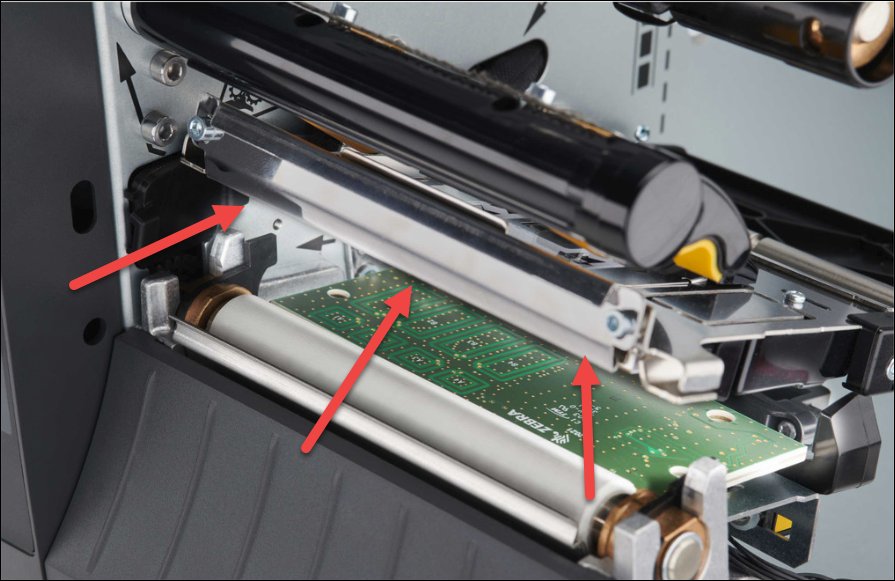
The printhead is the most critical component affecting print quality.
-
Locate the printhead element strip on the underside of the printhead assembly.
-
Lightly dampen a lint free swab with isopropyl alcohol.
-
Gently wipe across the printhead from one side to the other in a single direction.
Important guidelines:
-
Do not scrub the printhead
-
Do not touch the printhead surface with fingers
-
Allow the printhead to dry completely before lowering it
Step 4 - Clean the Platen Roller
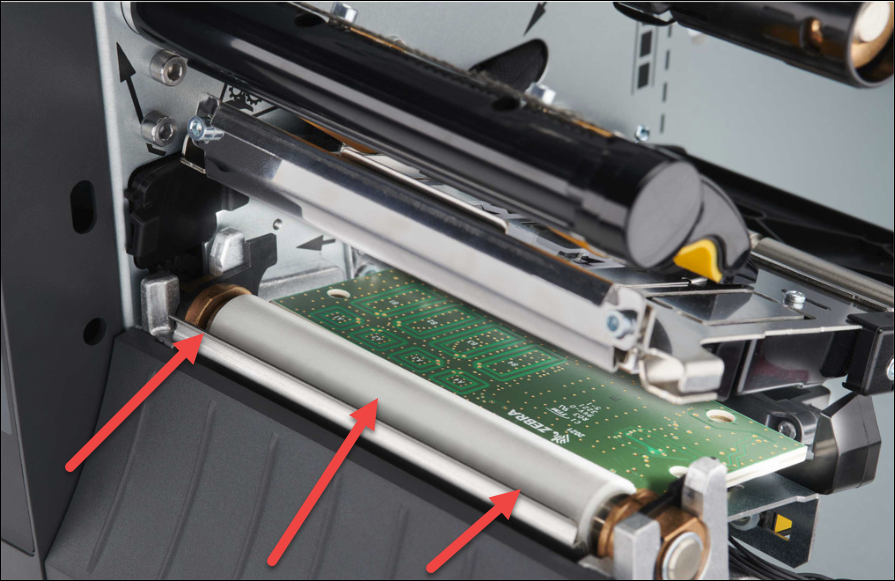
The platen roller feeds labels through the printer and may accumulate adhesive residue.
-
With the printhead assembly raised, locate the rubber platen roller beneath the label path.
-
Rotate the roller manually.
-
Clean the entire roller surface using a lint free cloth dampened with alcohol.
This removes adhesive buildup, dust, and debris that can affect label feeding.
Step 5 - Inspect the Media Path
Check the printer interior for:
-
Label fragments
-
Adhesive residue
-
Dust accumulation
Remove debris using compressed air or a lint free cloth.
Additional Best Practices
To extend the life of the printer:
-
Replace ribbon regularly
-
Keep the printer interior free of dust and label debris
-
Avoid touching the printhead surface
-
Store labels in a clean, dry environment
Routine maintenance ensures reliable printing of specimen identification labels used with ForneyScan workflows.