![Forney_FV_logo_signature_600.jpg]](https://knowledge.forneyonline.com/hs-fs/hubfs/Forney_FV_logo_signature_600.jpg?height=40&name=Forney_FV_logo_signature_600.jpg)
First Time Access (No Users Created Yet)
A default user is available on all new machines and does not require a passcode.
To access the system:
- Select the default user on the login screen
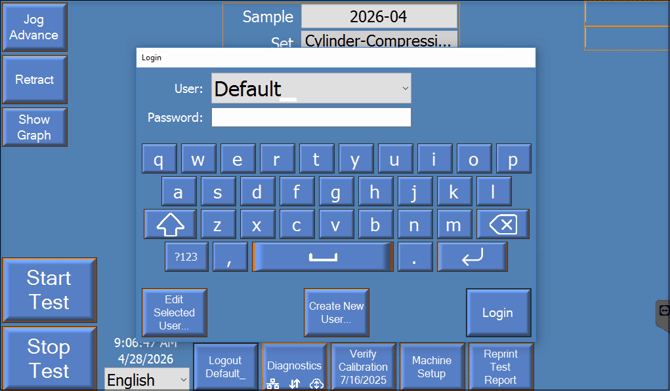
- Leave the passcode field blank
- Select Login
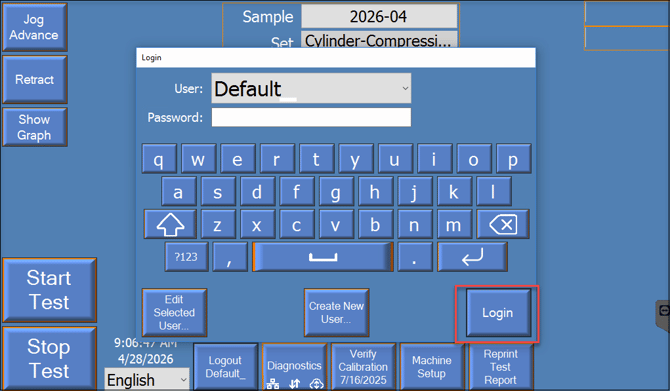
This will allow you to access the machine interface.
What can I do after logging in?
Once you have successfully logged into the ForneyLink interface, follow these steps to complete setup and prepare for use:
-
Connect the machine to Wi-Fi
Ensure your machine is connected to the internet so it can communicate with ForneyVault and receive updates.
https://knowledge.forneyonline.com/how-do-i-connect-the-forneylink-hmi-to-a-wi-fi-network -
Review the Onboarding Page
Visit the onboarding page to understand the full setup process and requirements:
https://forneyvault.com/onboarding/ -
Schedule your training session
Use the training calendar to book a session for your team:
https://meetings.hubspot.com/jtejada1/forneyvault-training -
Access the New User Portal
Use the portal to set up accounts, access tools, and review resources:
https://forneyvault.com/start-applications/
Need help?
Our support team is here to help you get started:
Phone: 724-346-7400
Toll-Free: 800-367-6397
Email: support@forneyvault.com