![Forney_FV_logo_signature_600.jpg]](https://knowledge.forneyonline.com/hs-fs/hubfs/Forney_FV_logo_signature_600.jpg?height=40&name=Forney_FV_logo_signature_600.jpg)
Notes:
- Only specimens assigned to the selected lab will be displayed
- Changing the lab filter does not move or modify any data
- Access to other labs depends on your system configuration and permissions
To find samples from another lab:
- From the Specimen List screen on the machine, select Filter
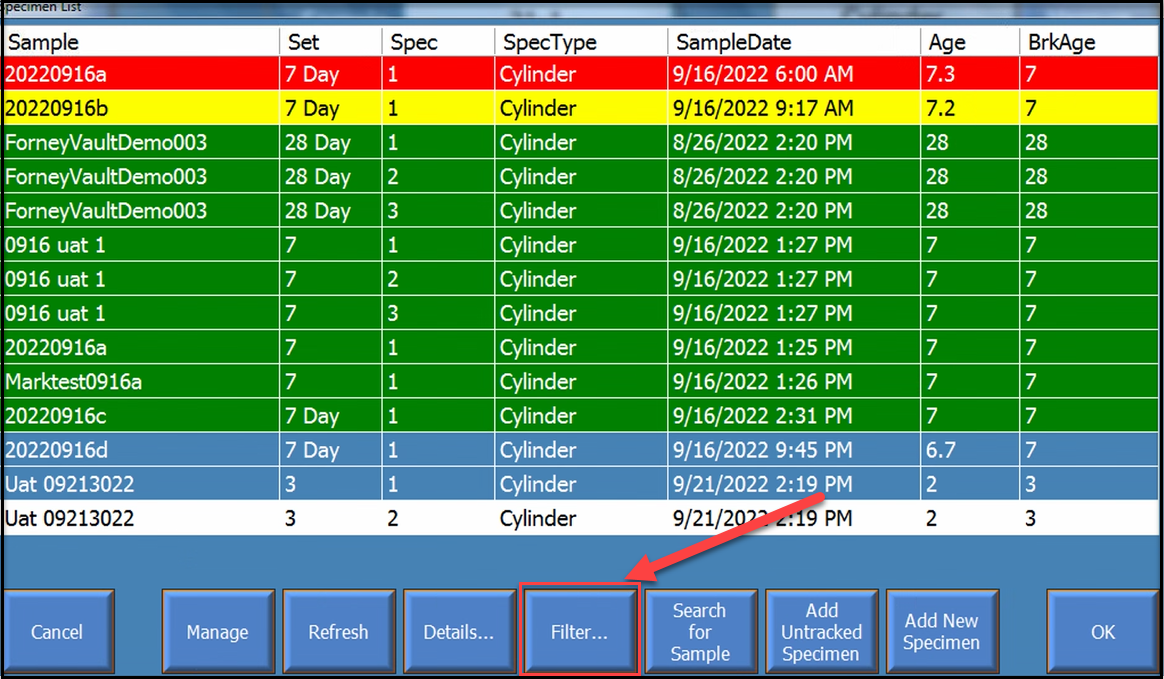
- Locate the Lab dropdown
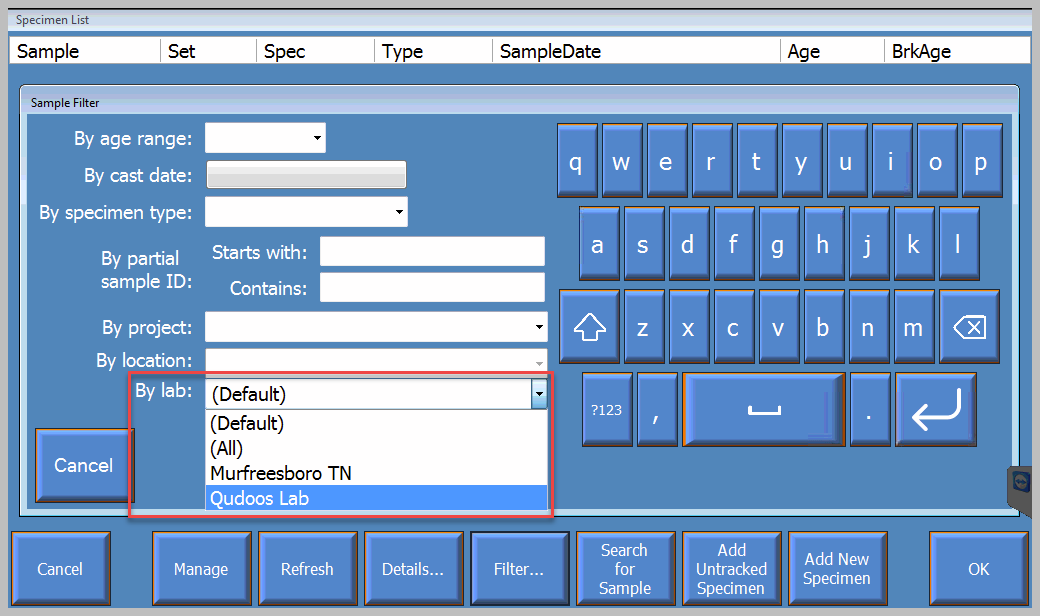
- Select the lab you want to view
- Select Apply
The Specimen List will update to show specimens assigned to the selected lab.